🖼️ Remove Background
The Remove Background feature allows you to instantly remove backgrounds from your generated images, creating transparent PNGs perfect for stickers, t-shirts, and other print-on-demand products. This powerful tool uses advanced AI to cleanly separate subjects from their backgrounds with professional results.
🎯 How to Use
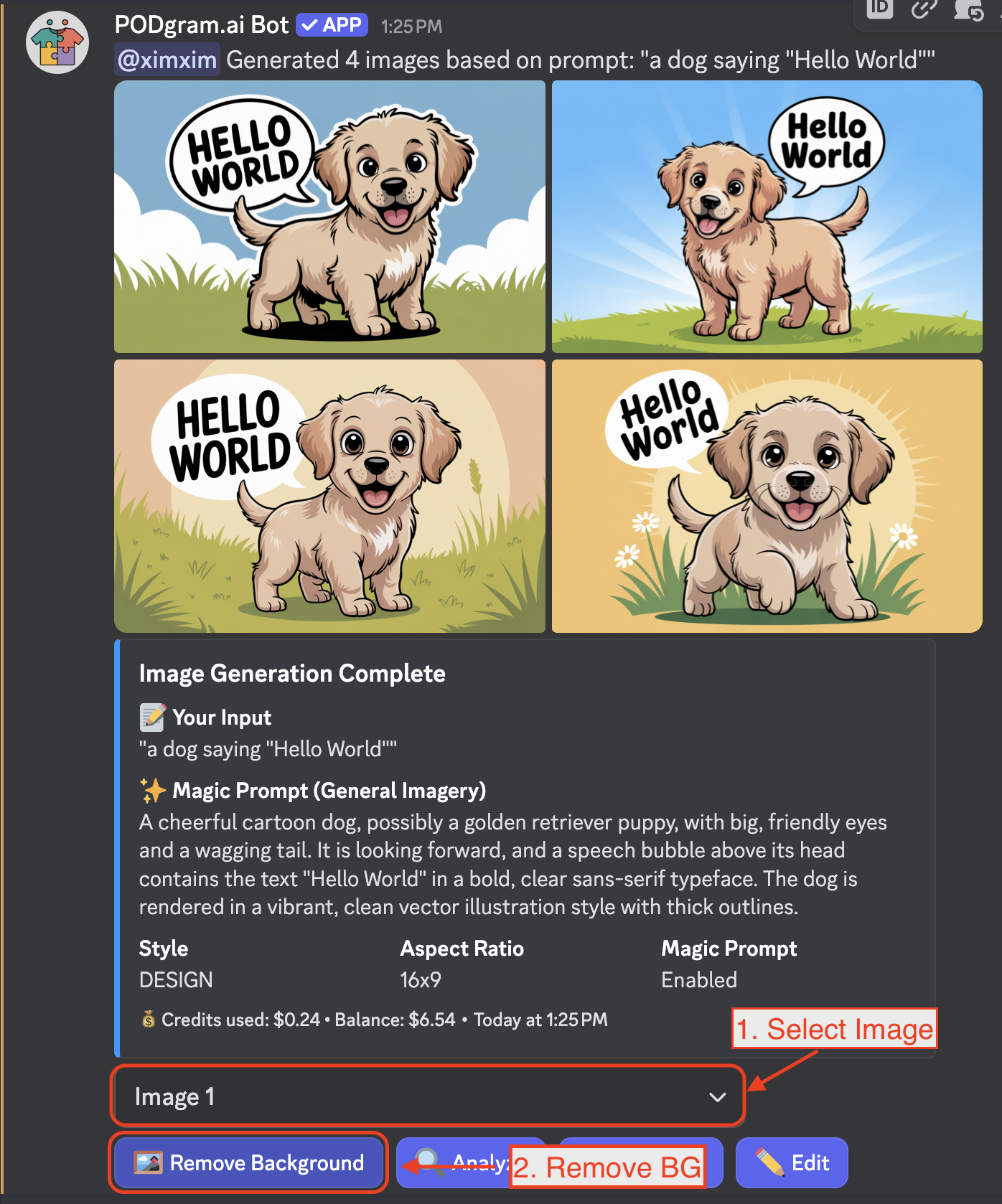
After generating images with the /imagine command, you can remove the background from any of your images in just two simple actions:
- Use the Image dropdown selector to choose which generated image you want to work with (by default, Image 1 is selected)
- Click the "Remove Background" button to start the process
✨ Result
Within seconds, you'll receive your image with the background completely removed, leaving a clean transparent PNG. The subject is precisely extracted while maintaining all the fine details.
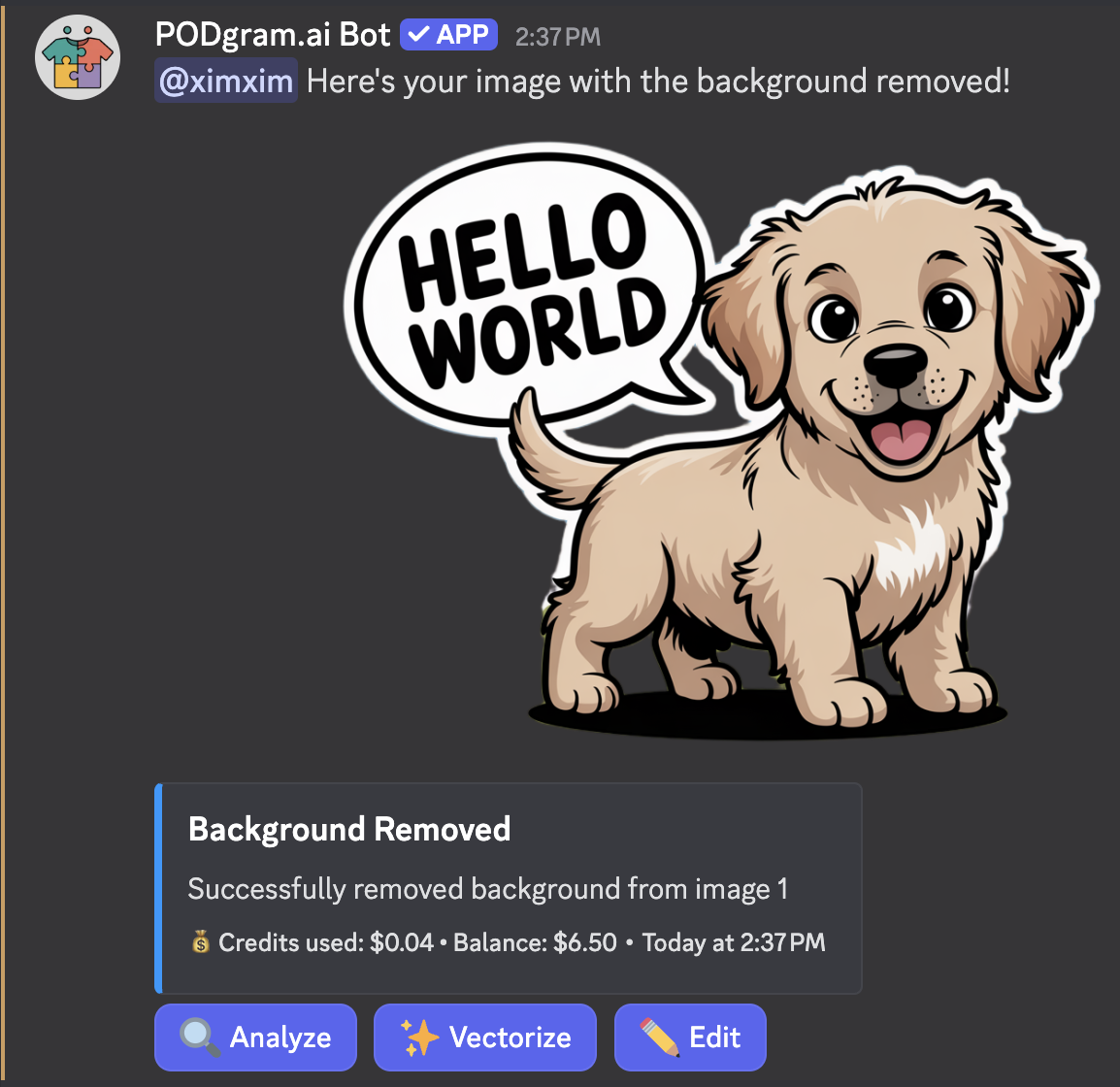
The result message will confirm:
- The successful background removal
- Credits used for the operation
- Your remaining balance
Additional Actions
After background removal, you can perform additional actions on your transparent image:
- 🔍 Analyze - Get detailed insights about your image
- ✨ Vectorize - Convert to scalable vector format
- 🎨 Edit - Make further modifications
💰 Credit Usage
Background removal costs $0.04 per image. Check your balance anytime using the /balance command.
💡 Pro Tips
For cleanest background removal results, use images generated with Magic Prompt enabled. Magic Prompt optimizes images with solid backgrounds that are easier to remove accurately.
Generate 3-4 images with your /imagine command to give yourself multiple options. You can then remove backgrounds from the ones that work best for your needs!
🎨 Perfect For
Background removal is ideal for:
- Stickers - Clean cutout designs
- T-shirts & Apparel - Transparent graphics for printing
- Product Mockups - Professional product photography
- Logo Creation - Clean, professional branding
- Digital Assets - Web graphics and social media content