📤 Upload Images
Don't want to generate images from scratch? No problem! You can upload your own existing images directly to PODgram.ai Bot and use all the powerful processing features including background removal, vectorization, analysis, and editing.
🎯 How to Use
Working with your own images is simple and straightforward:
Step 1: Upload Your Images
Simply attach and send one or more images to the PODgram.ai Bot in Discord. You can upload:
- Single images or multiple images at once
- Common formats: JPG, PNG, GIF, WebP
- Photos, illustrations, logos, or any design files
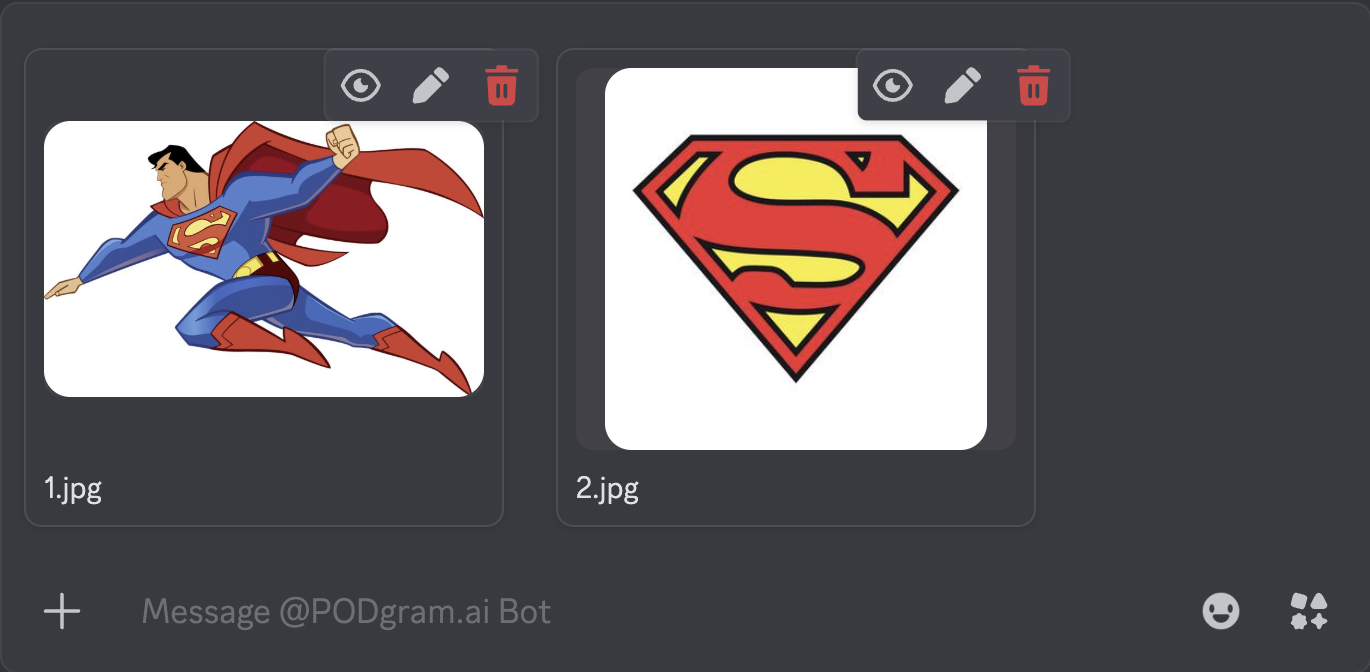
Step 2: Select and Process
The bot will detect your uploaded images and provide you with the same powerful actions available for generated images:
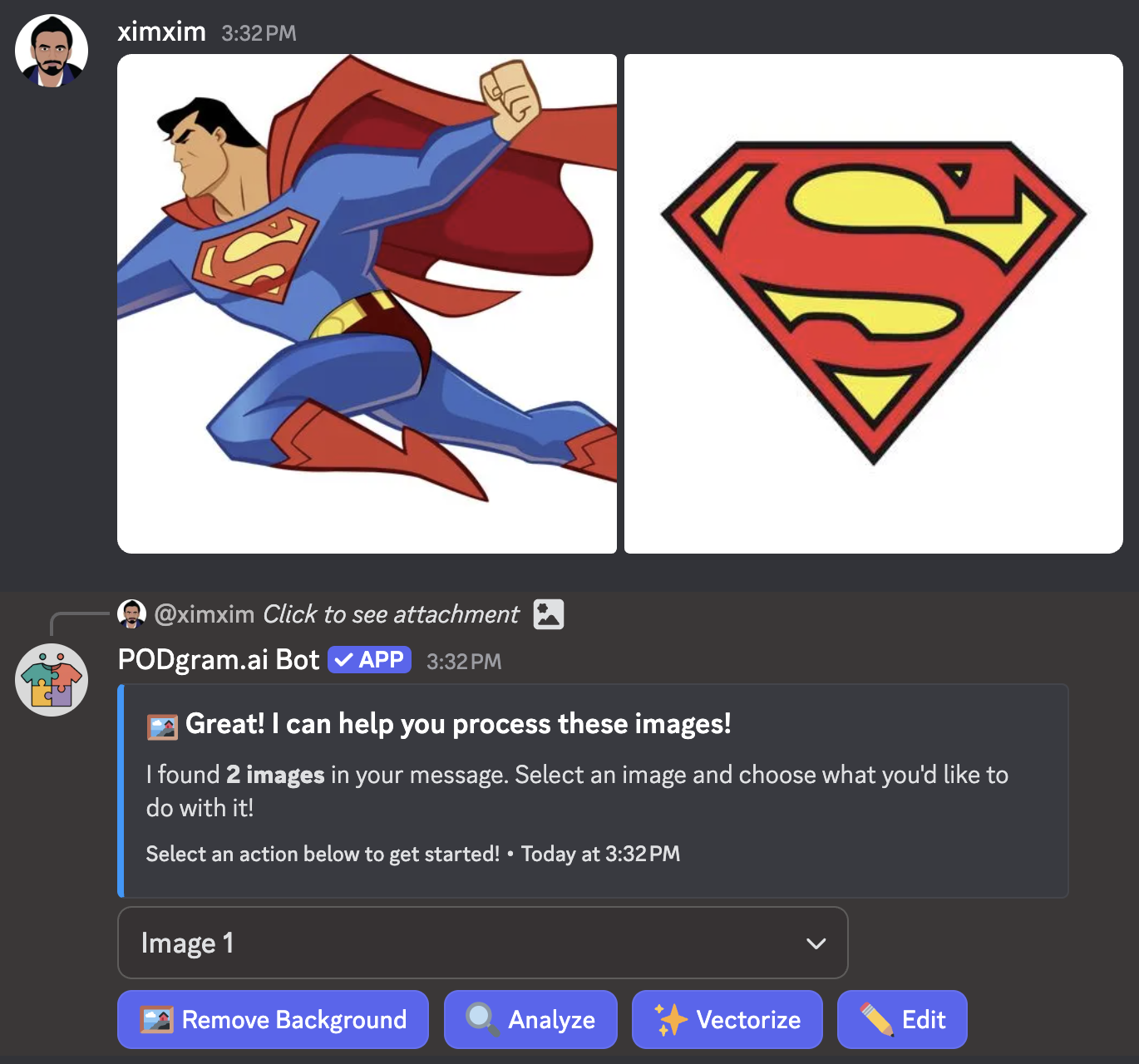
If you uploaded multiple images, use the Image dropdown selector to choose which image you want to work with. Then select any of the available actions:
- 🖼️ Remove Background - Remove backgrounds for transparent PNGs
- 🔍 Analyze - Get copyright detection and SEO-optimized product details
- ✨ Vectorize - Convert to scalable vector format
- 🎨 Edit - Modify your image with natural language prompts
💡 Pro Tips
Already have designs but need to optimize them for print-on-demand? Upload them to remove backgrounds, vectorize for scaling, or analyze for copyright issues before listing.
Upload multiple images at once to efficiently process your entire design collection. Switch between images using the selector and apply different actions as needed.
Use the Edit feature to modify existing images, add elements, change colors, or create variations without starting from scratch.
Always analyze your uploaded images before listing them for sale to ensure there are no copyright issues and to get ready-made product descriptions and tags.
🎨 Perfect For
Uploading images is ideal for:
- Existing Designs - Process designs you've already created
- Stock Images - Optimize purchased or licensed images for products
- Photo Editing - Remove backgrounds from product photos
- Logo Processing - Vectorize logos for scalability
- Copyright Verification - Check existing designs for potential issues
- Quick Variations - Create multiple versions of an existing design
- File Format Conversion - Convert raster images to vectors
- Product Listing Prep - Get SEO-optimized titles, descriptions, and tags
📝 Important Notes
PODgram.ai Bot supports common image formats including JPG, PNG, GIF, and WebP. For best results, use high-resolution images.
When uploading images, ensure you have the rights to use and sell them. The Analyze feature can help detect copyrighted content, but you are responsible for ensuring your images comply with intellectual property laws.